Bring your document or idea
Use a programme, schedule, notice or tribute—or start with your own text.
 Overlayby LMNOpen the studio ↗
Create professional lower third overlays for speakers, interviews and live events. Edit names, titles and brand colours in your browser, then preview every change in real time.
Live text editing · Your brand colours · No signup to tryStart with the graphic you need. See it in action below.
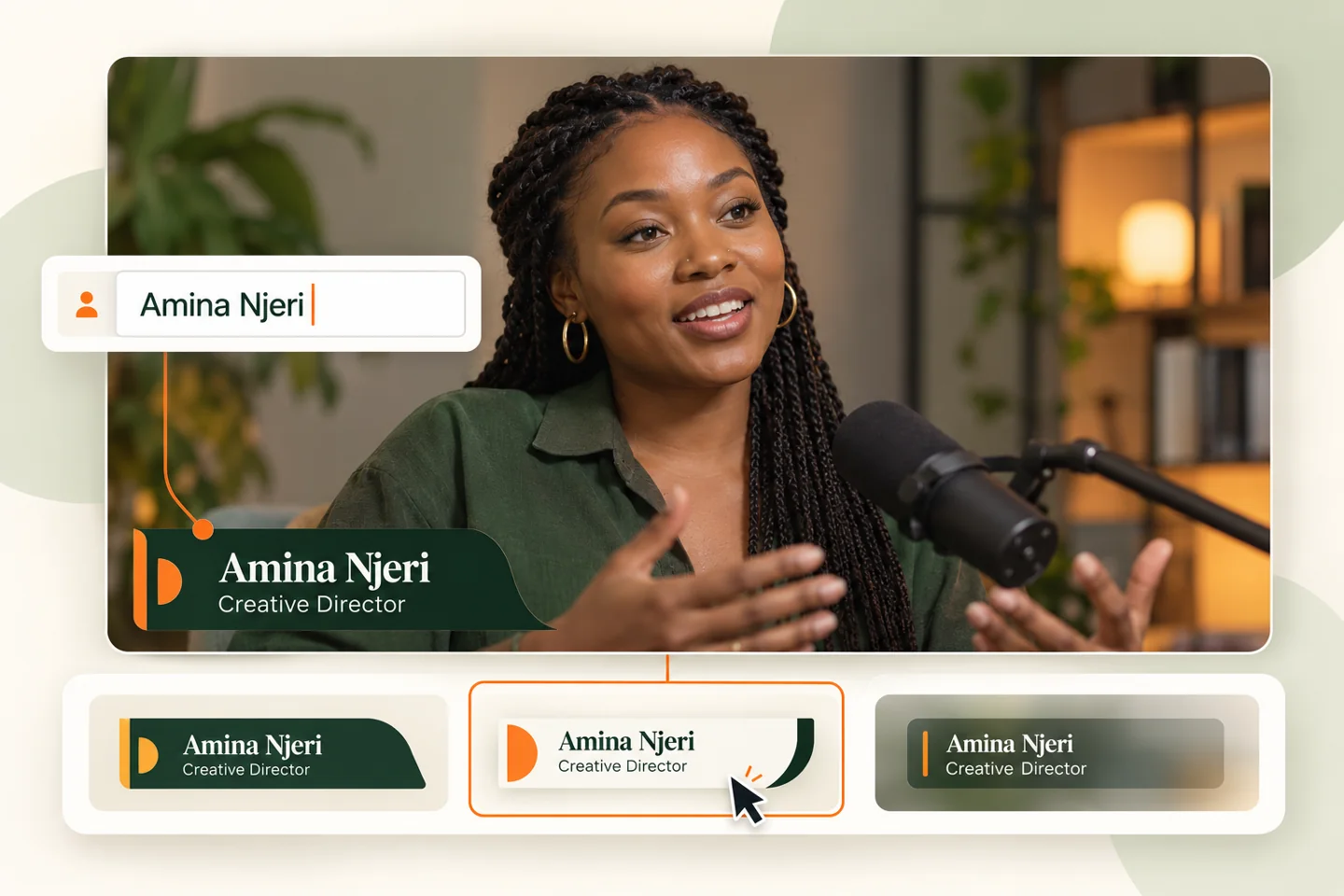
Introduce speakers with a name, title and a look that fits your show.
Choose a design & edit a name →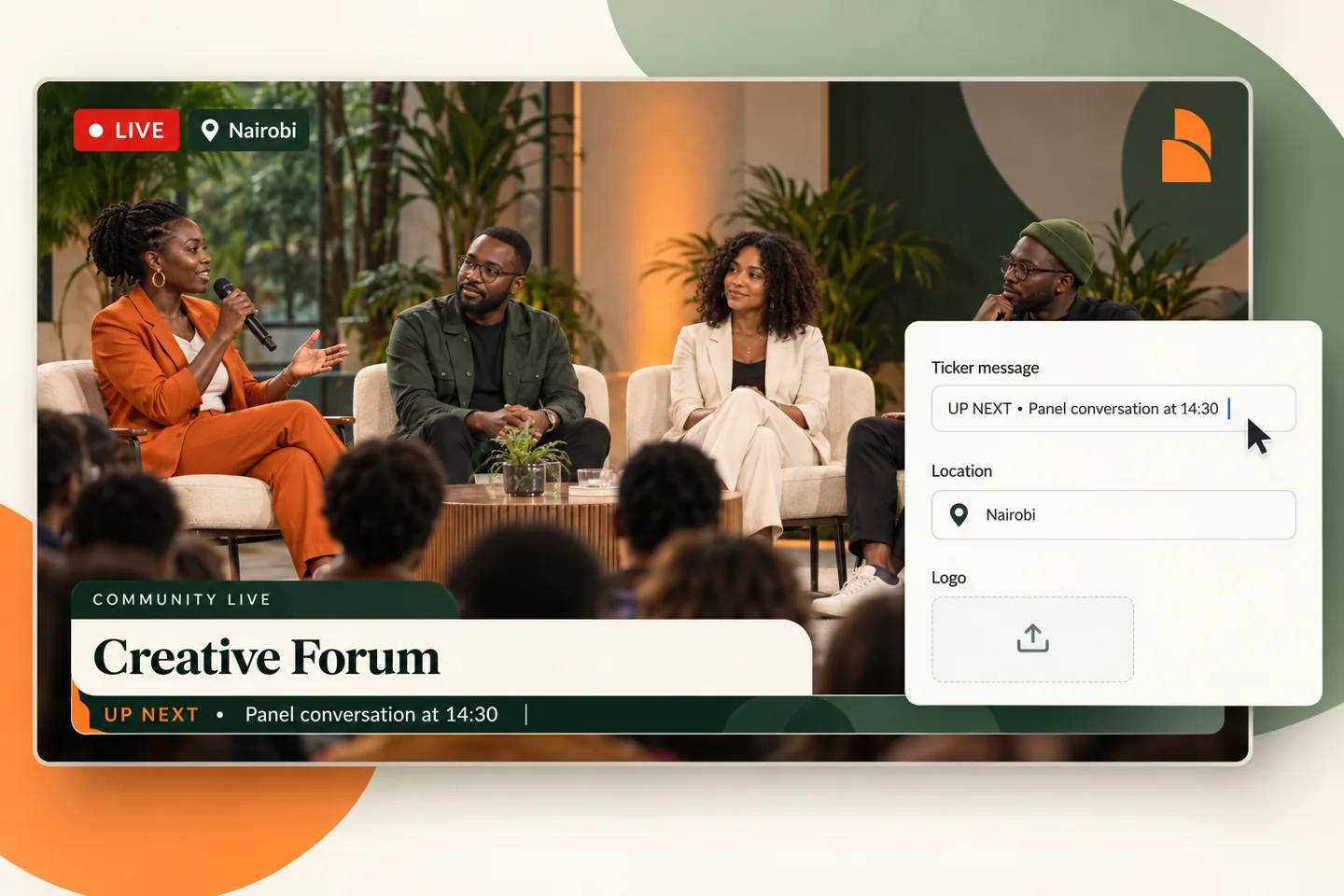
Put announcements, your logo and live/location details in one package.
Build your broadcast look →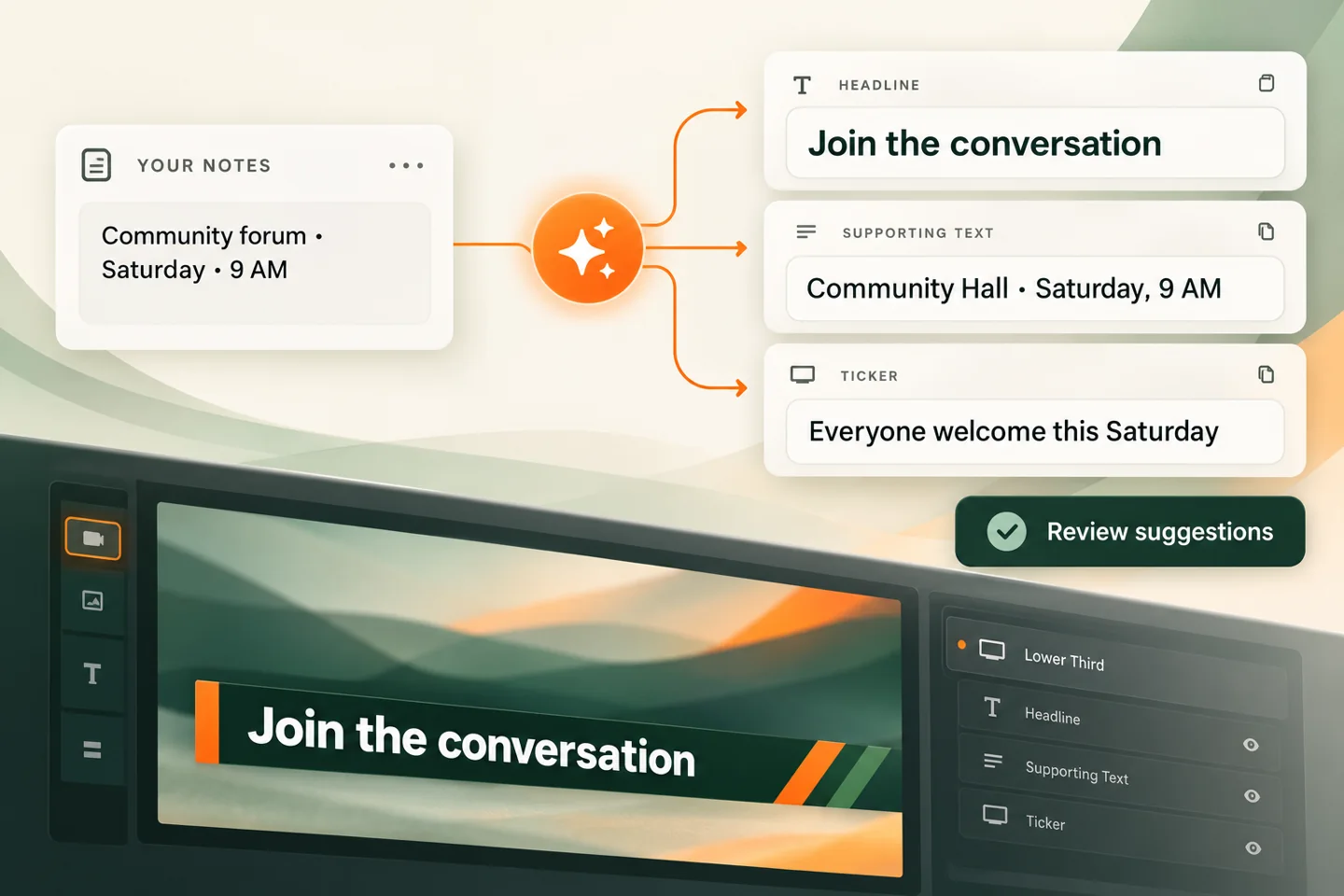
Turn documents and notes into headline, supporting-text and ticker suggestions.
Explore AI writing assistance →Pick a design. Edit a name. Preview your lower third.
Choose your design and make it yours.
Keep the studio and output tabs open in the same browser while controlling your graphics.
Run announcements, identify your location and add your logo. Explore the broadcast package concepts below.
 YOUR LOGO
Signature · A unified panel with an inset brand mark.
PNG, JPG or WebP · Up to 5 MBStart with a programme, notice, photo or a few notes. AI assistance helps you prepare the words for your broadcast—from a clear headline and supporting line to a concise ticker message. Review the suggestions, make them yours, and decide what goes on screen.
What does OCR mean? Optical Character Recognition: technology that reads words from an image and converts them into editable text. It’s the text-reading step—not the same thing as AI writing a summary.
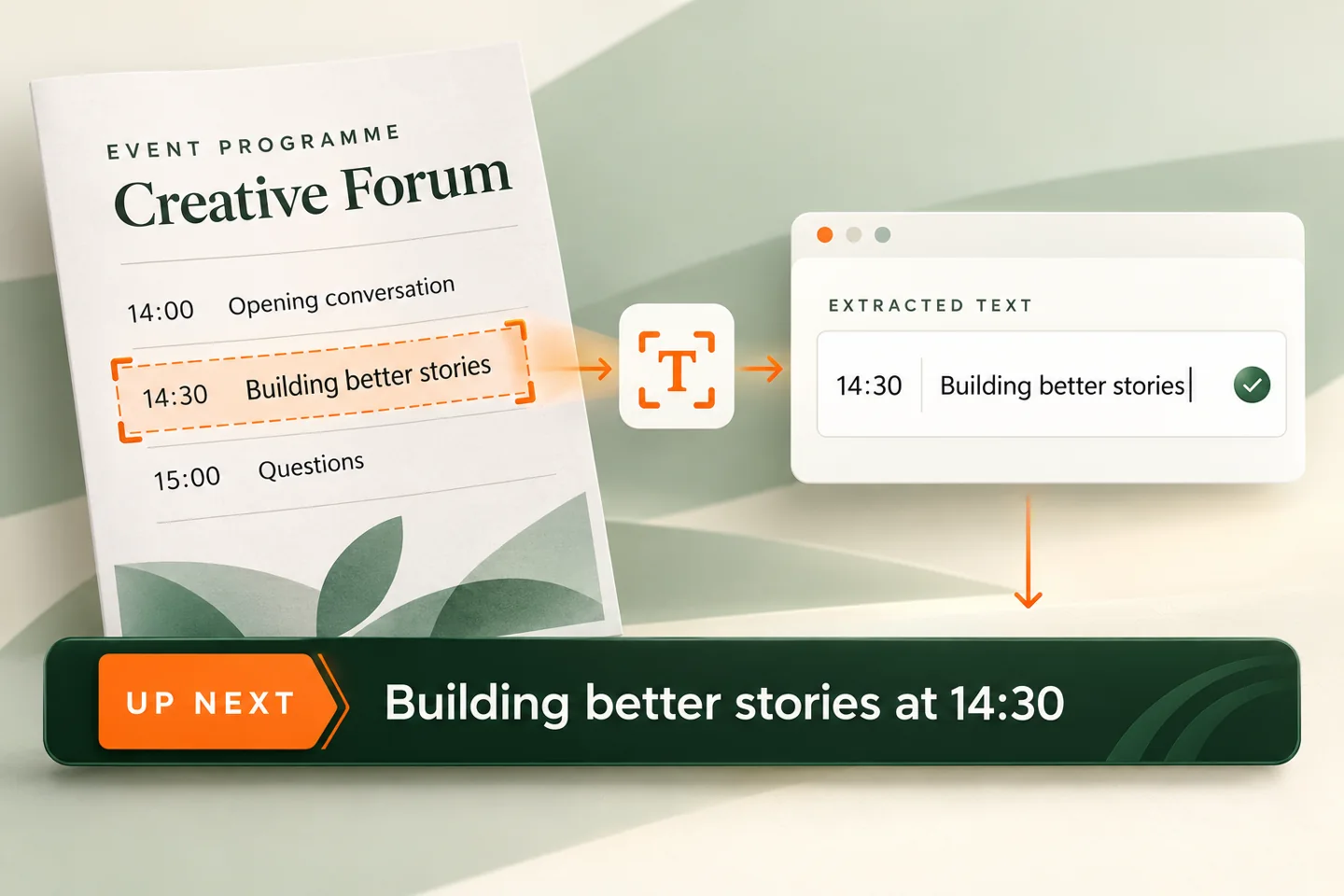
Use a programme, schedule, notice or tribute—or start with your own text.
Extract the words from a document, then get suggestions for a headline, subtitle, description and ticker. Choose the wording that fits your broadcast.
Check names, dates and times. Nothing goes on air automatically.
Community food drive this Saturday at the hall, 9am. Bring dry food donations.
Build a consistent visual identity for your show with lower thirds, coordinated ticker designs, corner branding and live graphics. Contact us to discuss your design collection.
DESIGN COLLECTIONS FOR YOUR SHOWFrom a Sunday service to a headline event, your production deserves graphics that keep up.
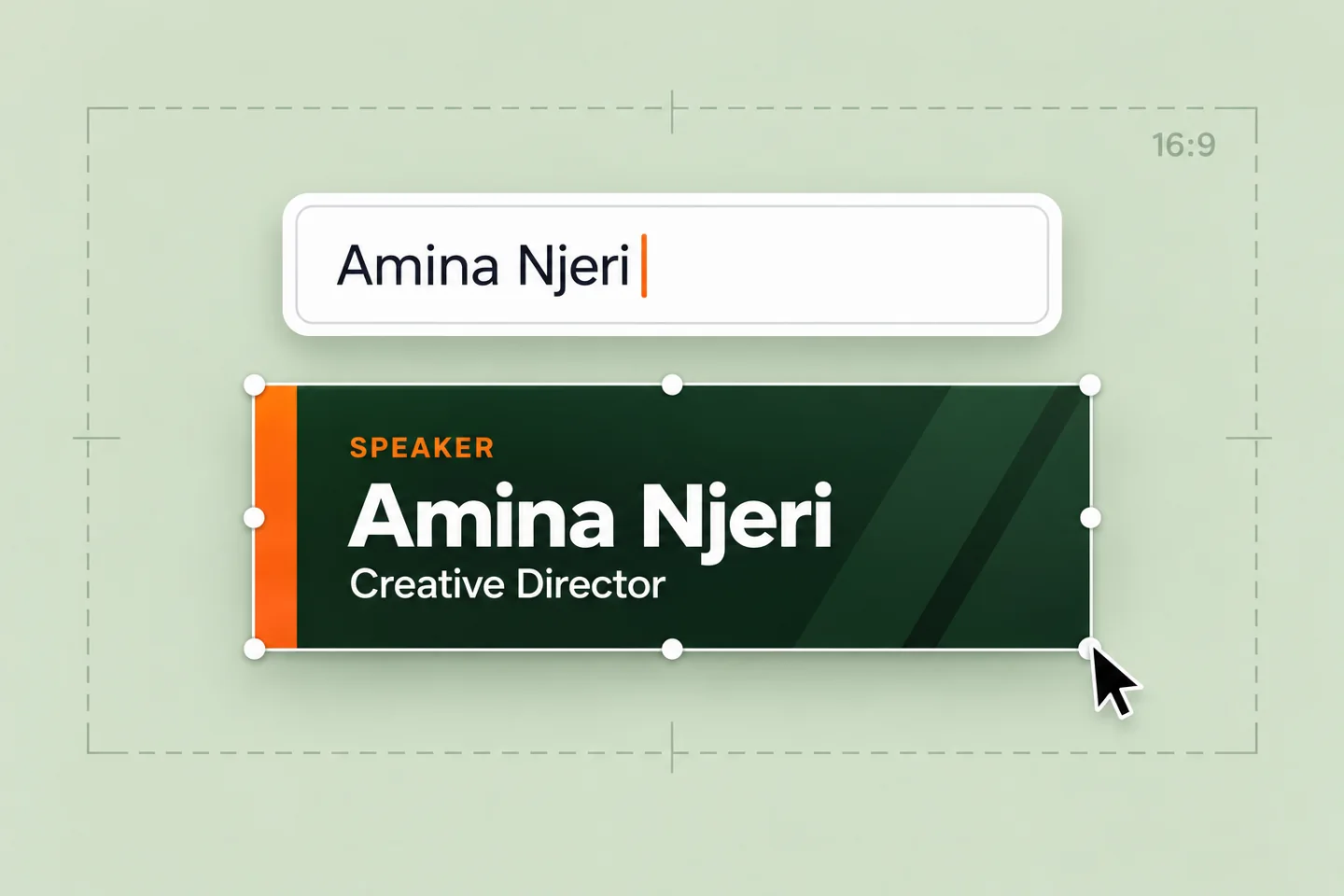
Update names, titles, and messages as your show unfolds. No exporting another graphic.
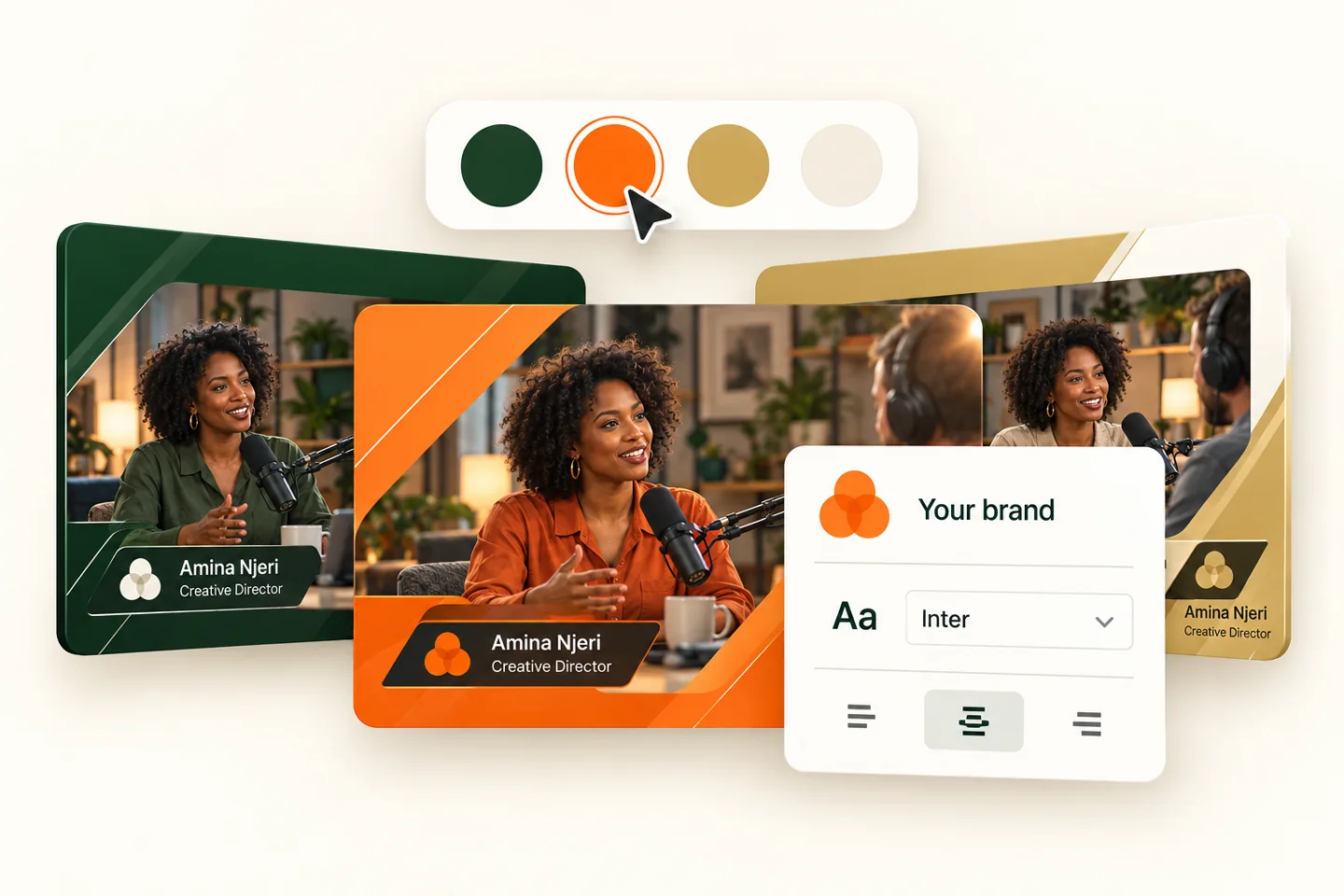
Start with a considered design. Make it yours with your colours, content, and visual style.
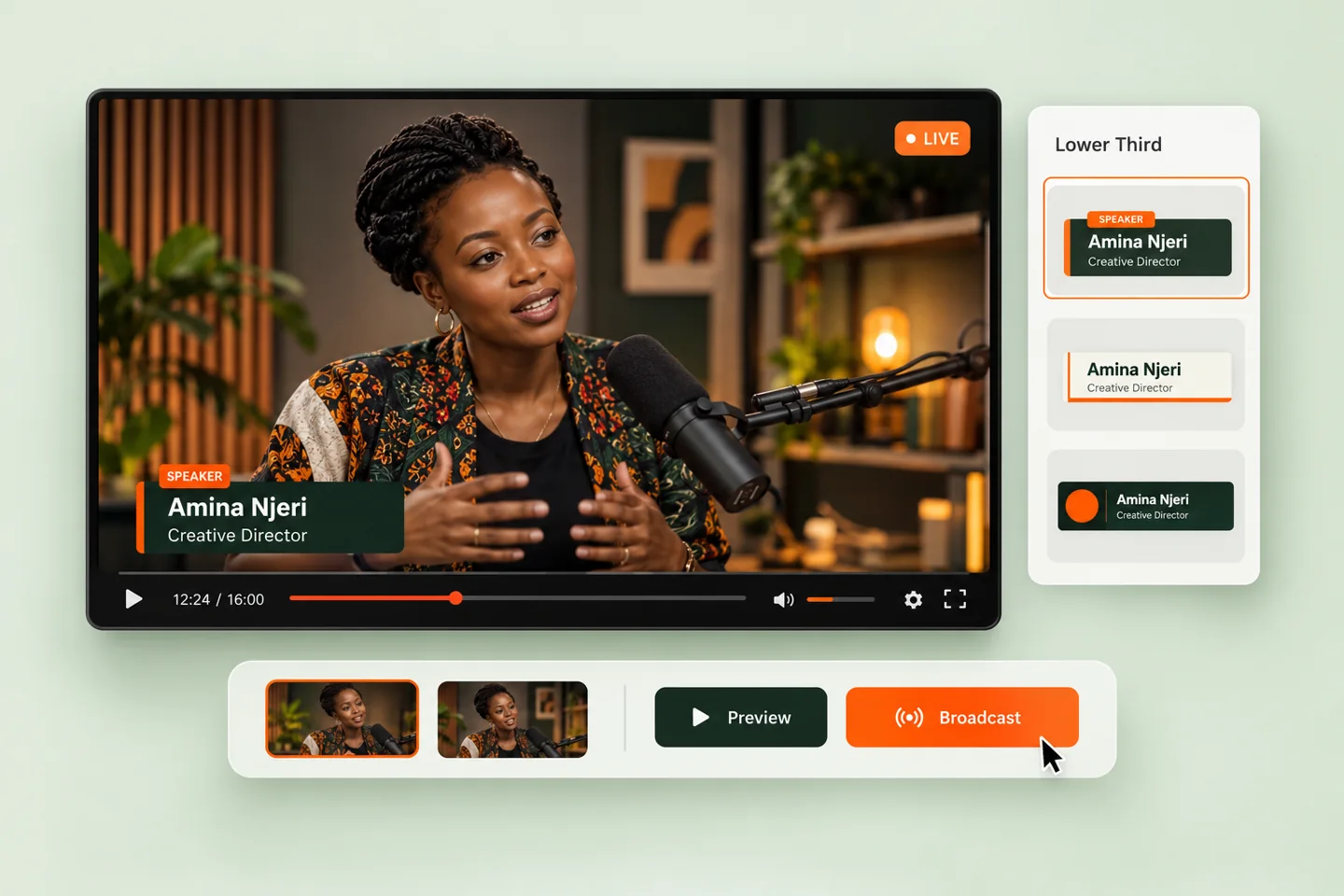
Prepare your speakers, preview each graphic, and bring the right moment to screen.
Pick a lower third that fits your production. Clean and minimal, bold and expressive, or unmistakably yours.
Add your speaker details, choose a brand colour, and check everything in the live preview.
Test the transparent output in another tab in this browser. Rehearse the output in a separate browser tab. Contact us for help connecting graphics to your broadcast setup.
Initially designed around Wamonic's production needs. Imagined for everyone with a story to share.
Suggested launch plans. Simple pricing in Kenyan shillings.
For finding your on-air rhythm.
Billed monthly
Choose this plan ↗For teams with more stories to tell.
Billed monthly
Choose this plan ↗For a full calendar of live moments.
Billed monthly
Choose this plan ↗Need help choosing? Contact us about your production →
The editor runs in your browser. Open the studio to prepare your graphics and preview the transparent output.
Yes. Keep the control tab open, click “Take live”, and copy the output URL into a 1920 × 1080 browser source. The editor and output share updates within the same browser profile. Contact us to confirm the output connection for your production setup.
Use Save preset in the studio. Your latest preset is stored locally in this browser and restored when you return.
Contact us to discuss your show, graphics and broadcast setup.
A lower third is an on-screen graphic, usually placed in the lower portion of a video, that introduces a speaker or adds context without covering the action. It can show a name, job title, organisation, location or short announcement.
Overlay by LMN lets you explore editable lower thirds for interviews, church live streams, panel discussions, podcasts and live events. Start with a template, choose a colour and see your changes immediately.
A guide to lower third overlays ↗