
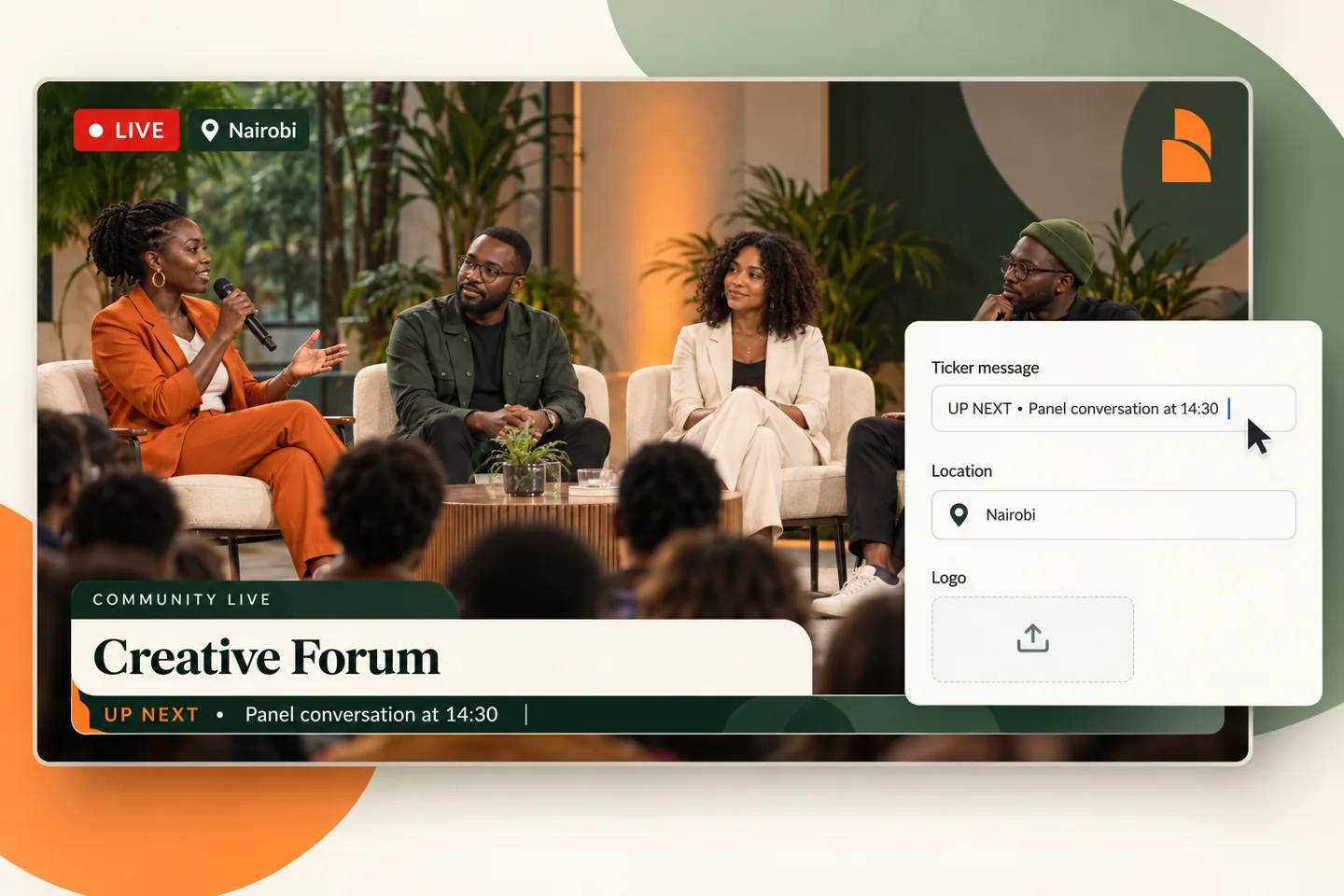
What is a broadcast ticker?
A ticker is a strip of moving text used to share short updates while the main video continues. It can carry event times, upcoming speakers or community notices. Unlike a speaker-name lower third, its purpose is to present a sequence of updates.
A scrolling news ticker is one familiar example, but the same layout can work for conferences, church streams and service announcements. Write short items and separate them with punctuation so viewers can follow the sequence.
Integrated tickers keep the design together
An integrated package joins the title panel and ticker into a coordinated composition. This helps the nameplate, announcement strip and branding feel like parts of the same show rather than unrelated widgets.
Explore Signature, Bulletin, Spotlight, Neighbourhood and Tribute in the design collection. The examples use different shapes, typography and portrait or logo treatments. Their content is editable in the browser preview.
Choose the right message length
Start with one clear announcement and a useful detail: “Panel conversation at 14:30 · Main stage”. Remove repeated introductions and avoid fitting an entire programme into a single crawl.
A steady, readable pace is more useful than decorative speed. Pause the preview to check spacing, then watch the whole message complete a pass. The page also respects reduced-motion preferences.
Add a logo and live/location context
Corner branding can identify the channel, while a LIVE badge and location label explain what viewers are seeing. Use the badge deliberately; a recorded or tribute preview does not always need it.
The current interactive package is a design concept with local controls. The main lower-third editor provides a separate browser-local output; production-wide ticker synchronization requires the corresponding output service.